



Modify My Booking – Hello, t-mates. tiket.com is back with good news for all of you. Do you often book hotel rooms at tiket.com? We bet you are already familiar with many cool features from tiket.com such as Pay at Hotel or easy hotel refund and reschedule.
It’s not done yet, t-mates. tiket.com also offers you tiket Paylater, a feature that can help you realize your dream vacay without having to pay immediately. Isn’t that cool? As long as you have tiket.com app on your smartphone, you’ll be able to get lots of benefits!
Now, we want to introduce a new feature so you can be more comfortable when booking hotels at tiket.com. This feature is called Modify My Booking. With this feature, you can easily modify your hotel bookings at tiket.com!
What is Modify My Booking?
You may already experience the time when you suddenly need to modify your hotel booking due to unforeseen circumstances. We understand that things happen, and we can’t predict everything ahead of time. Perhaps you forget to put in the additional requests such as a non-smoking room, extra beds, or other things.
With Modify My Booking feature, you can change the details of your booking without canceling the order. You can modify the name of guests or any other details such as special requests.
How to Use Modify My Booking?
To modify your hotel booking on tiket.com, you just need to follow these simple steps. Read more and figure it out! Psst, you can easily do this using your smartphone, from anywhere! 😀
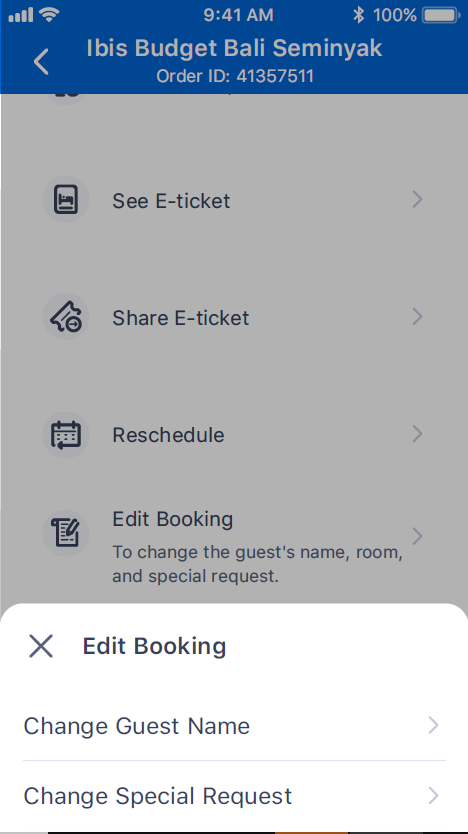

The first step is to open tiket.com application, then go to My Order section. Select the hotel booking you want to change. Then, change the details according to your needs.
1. Change Guest Name
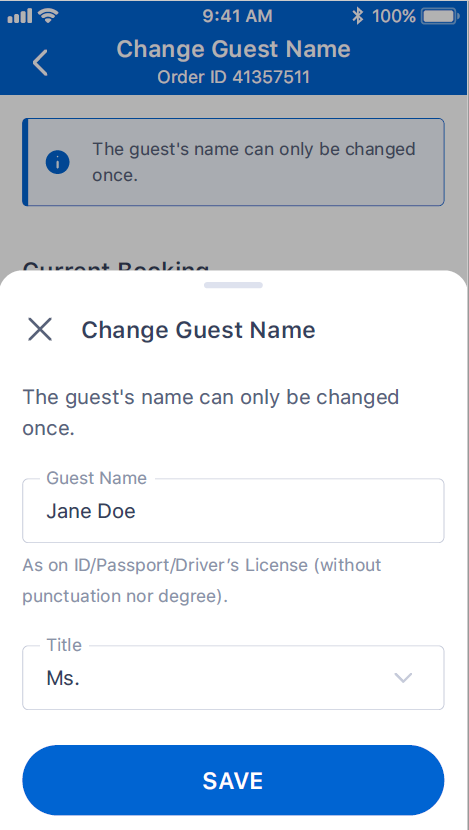

You can change the name of the guest according to your needs. Aside from the name, you can also change the guest title.
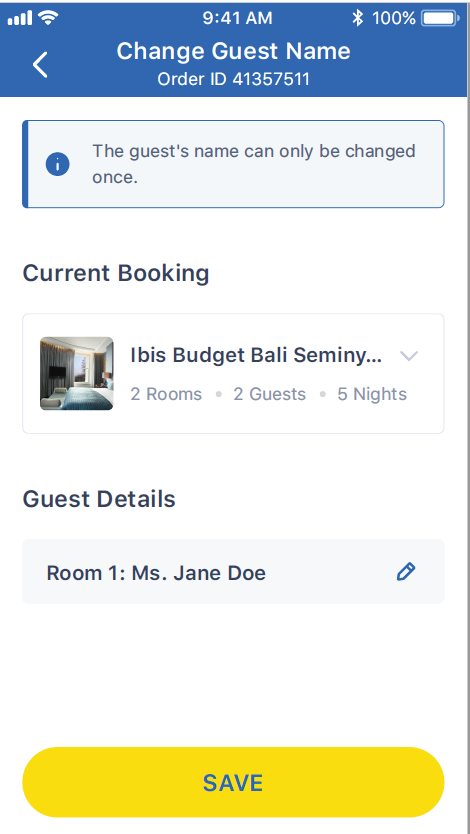

This feature is very practical especially if you have entered the name/ title details previously. With this feature, you can also transfer your accommodation booking to someone else. It’s perfect if you want to give a staycation gift for your loved one, for instance ❤️
2. Change Special Requests
Modify My Booking can also be used to change or add special requests. For example, you ordered a hotel in Bali for a honeymoon with your spouse. You can just write something that you prefer on the special request column.
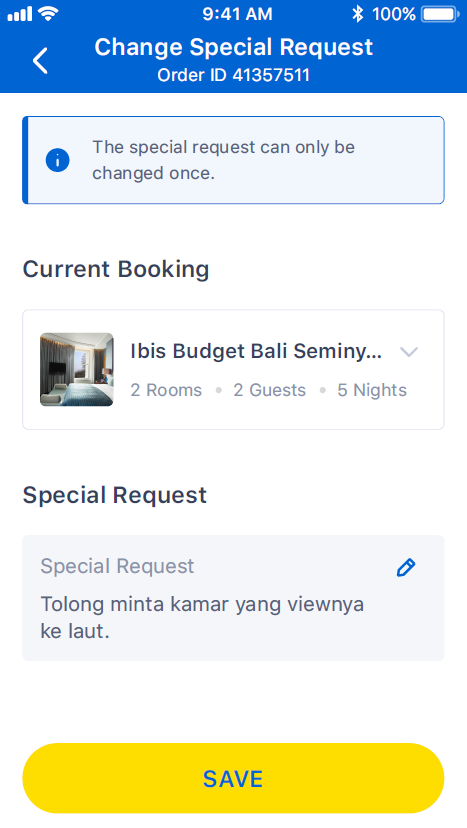

If you prefer a room with a sea view, just write it down. If the hotel has a room available for you, the hotel will adjust your request accordingly. By doing this, you can get something “extra” that can make your vacation more romantic!
Booking Hotel is Becoming More Practical at tiket.com
You’re all set! Do you expect that everything will be so easy? Yup, tiket.com understands your needs, t-mates. Now, it’s time to try the new feature yourself!
By the way, when you change the guest name or special request, don’t forget to click the save button, alright? Just to make sure your request can be processed!
For more complete information regarding Modify My Booking, you can check here. Happy holiday, t-mates!
*Terms and Conditions apply